

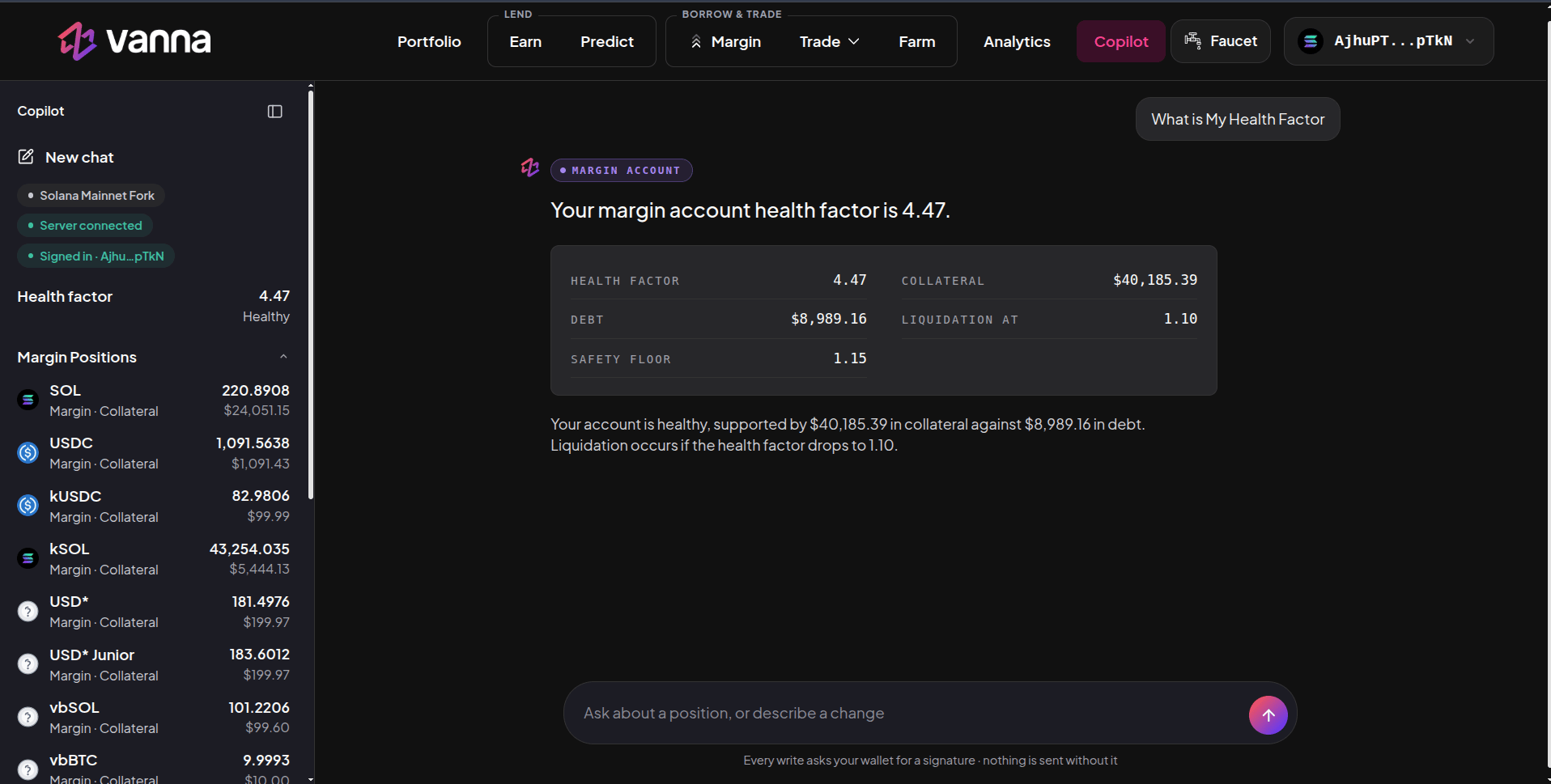
Copilot answering a health-factor question, with the account sidebar. Click the image to zoom.
Getting started
- Open Copilot in the header with your wallet connected.
- Sign in by signing a short login message in your wallet (no transaction, no fee).
- Type in the box at the bottom: Ask about a position, or describe a change.
What it can do
Answers come as cards with the exact figures (for example health factor, collateral, debt, liquidation level and safety floor).
Safety
- Nothing is sent without you. Every write shows a preview and asks your wallet for a signature. If you don’t sign, nothing happens.
- Copilot uses the same health checks and safety floor as the rest of the app, and there are limits on how large a single action and a day’s actions can be.
- It reads the same live chain data as the app, so its numbers match the Margin and Portfolio pages.
Copilot can make mistakes in how it reads a request. Always check the preview (amount, asset, direction and health factor after) before you sign.