

Steps
- Open Earn and click the pool.
- Choose Supply Liquidity.
- Enter an amount, or use 25% / 50% / 75% / Max.
- Review the preview: assets in, vTokens out, current APY.
- Confirm. SOL is wrapped to WSOL automatically.
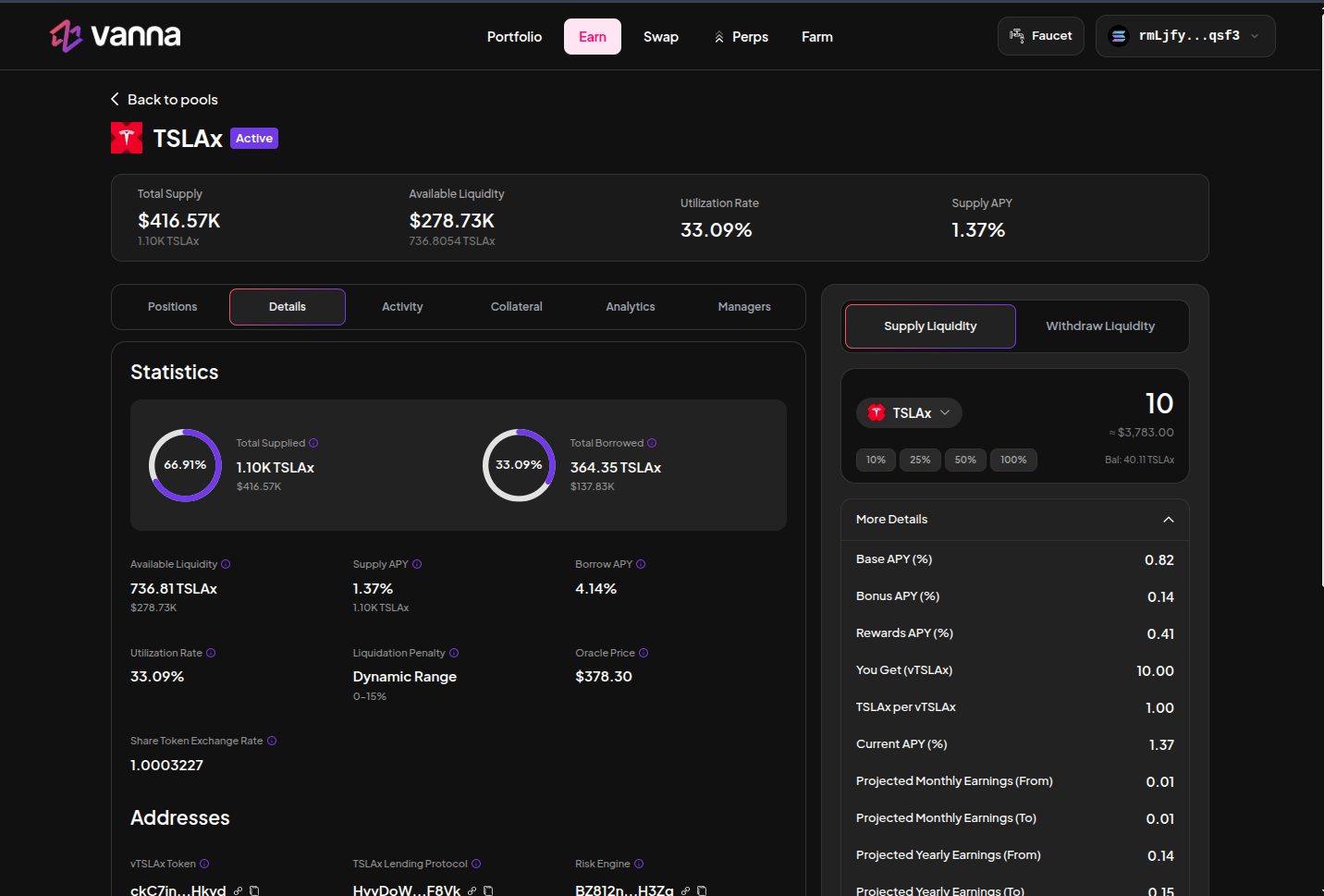
TSLAx supply panel. Preview shows vTSLAx minted and the current exchange rate. Click the image to zoom.
What happens on-chain
lender_supply transfers the asset into the reserve vault, accrues interest, and mints share tokens to your wallet. The first supply into an empty reserve keeps a small share floor so a donation cannot inflate the exchange rate.
vToken amount ≈ assets × (total shares / lender assets). Later interest increases the assets behind each share. You redeem more than you supplied if the pool earned.