

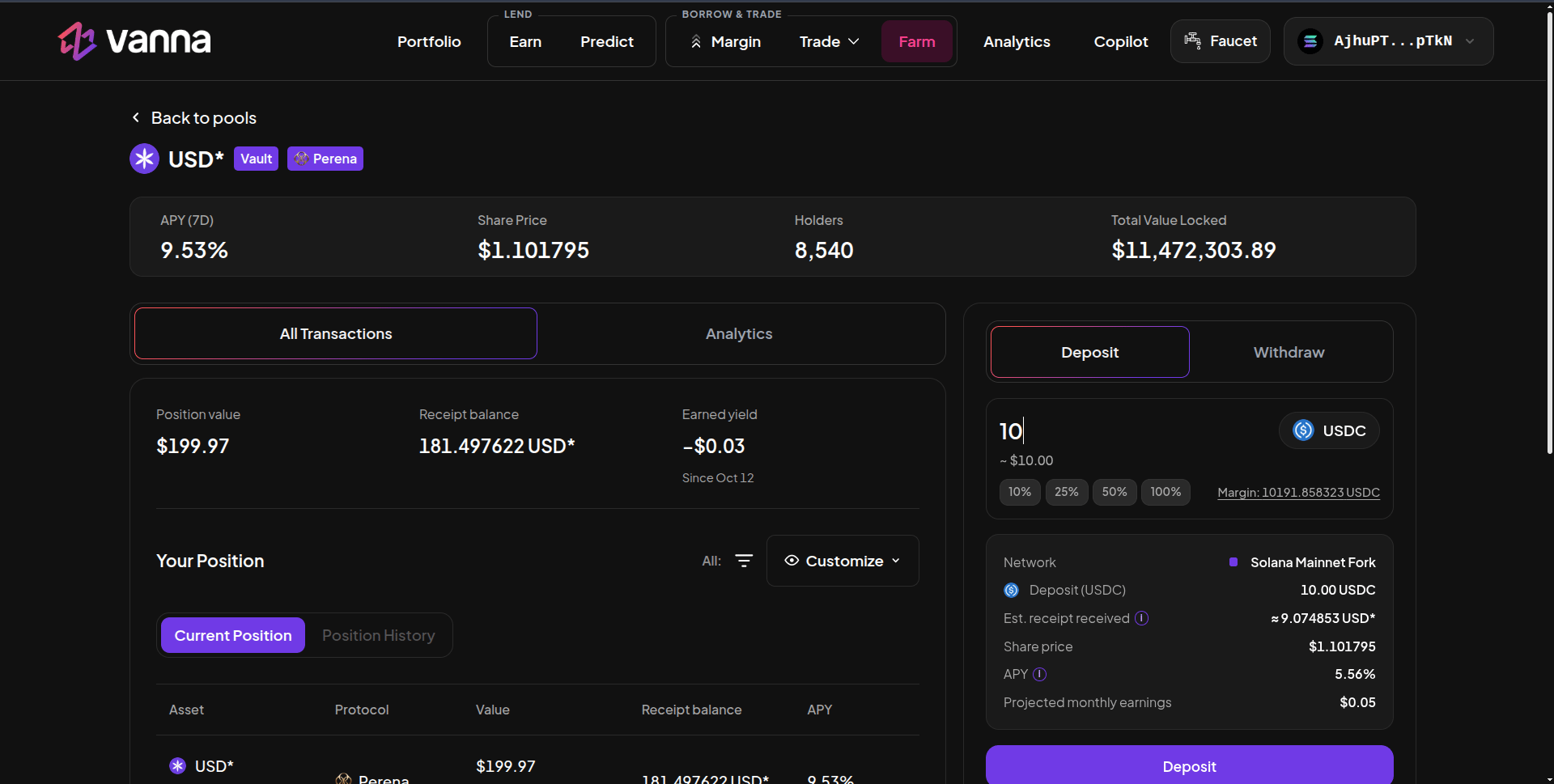
USD* vault page: APY (7D), share price, holders, TVL and the Deposit panel. Click the image to zoom.
The two vaults
Deposit
1
Open the vault
On Farm → Lending / Single Assets, click USD* or USD* Junior (Perena badge).
2
Enter USDC
Deposits are in USDC from your margin account (Margin shows the balance).
3
Read the details
Network, deposit amount, Est. receipt received (USDC ÷ share price), Share price, APY and projected monthly earnings.
4
Deposit
Click Deposit and approve. The shares arrive in your margin account.
Withdraw
Switch to Withdraw and enter how many shares to redeem. The details show the Est. USDC received; for USD* Junior that already includes the 1% instant-exit fee.The numbers
Shares are valued at their share price in your health factor.