

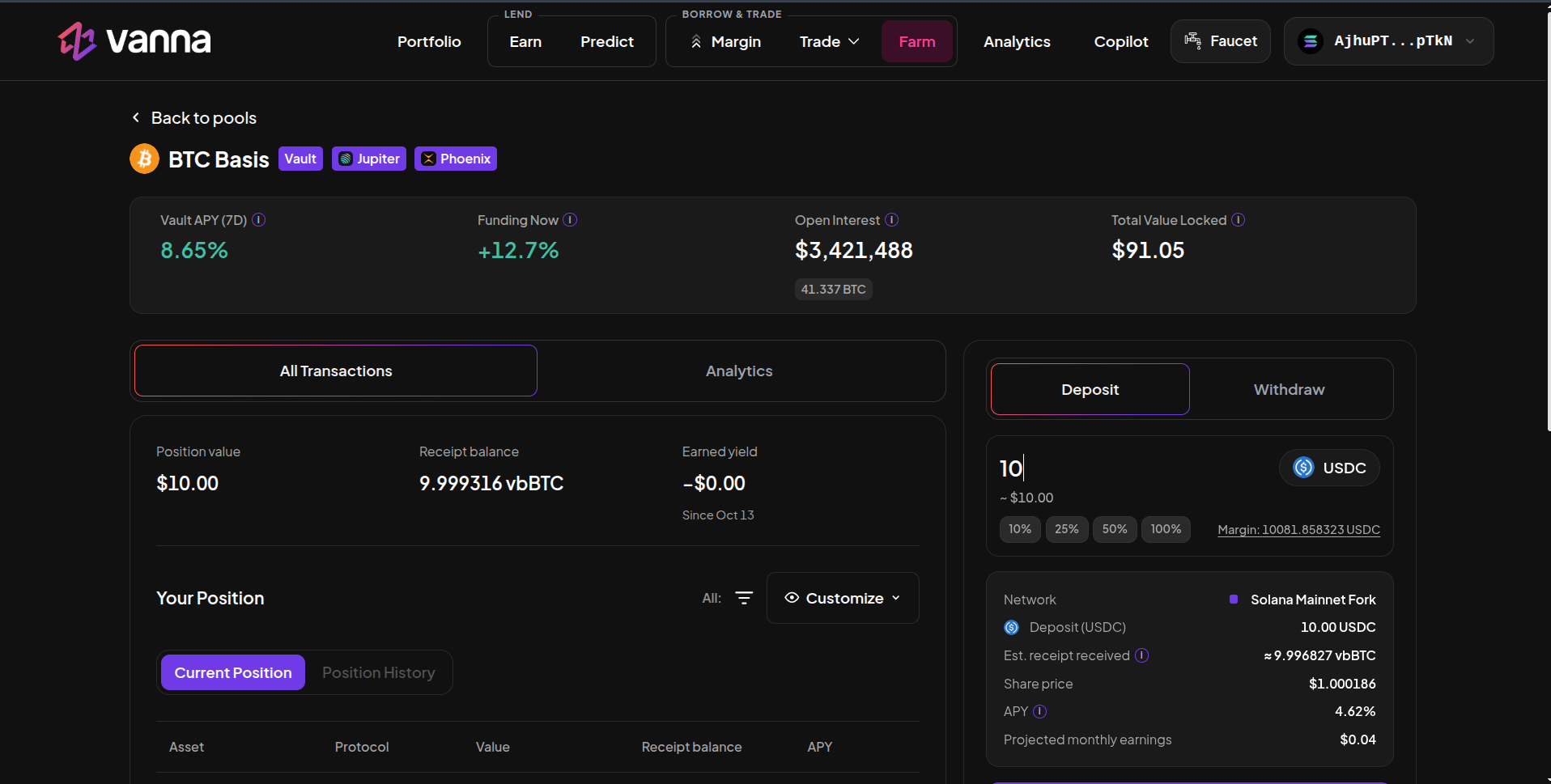
BTC Basis vault page: Vault APY (7D), Funding Now, Open Interest, TVL and the Deposit panel. Click the image to zoom.
The vaults
Each vault has a capacity (the most it accepts in total) and a per-deposit maximum.
Deposit
1
Open the vault
On Farm → Delta-Neutral, click a vault.
2
Enter USDC
Deposits are USDC from your margin account. Margin shows the balance.
3
Read the details
Network, deposit, Est. receipt received (vbSOL…), Share price, APY and projected monthly earnings.
4
Deposit
Click Deposit and approve once. The shares go to your margin account and count toward its health factor.
SOL Basis routes the USDC through your wallet: it leaves the margin account, is deposited into the vault and the vbSOL comes straight back to the margin account, all in one approval. The program checks the account’s health at the moment the USDC is out, so a very large SOL Basis deposit against a lot of debt can be refused. The panel warns you if so. Any vbSOL left in your wallet can be moved into the margin account with the recovery button.
Withdraw
Switch to Withdraw and enter the shares to redeem. The vault unwinds your share of both legs and returns USDC to your margin account.The numbers
What can go wrong
- Negative funding. When more traders are short than long, funding turns negative and the short pays. If that lasts, the vault’s APY falls and can go below zero.
- Costs. Entering and rebalancing pay Jupiter swap and Phoenix fees. On a small vault, one rebalance can move the share price more than days of funding.
- Venue risk. The vault relies on Jupiter, Phoenix and its own program working as intended.