

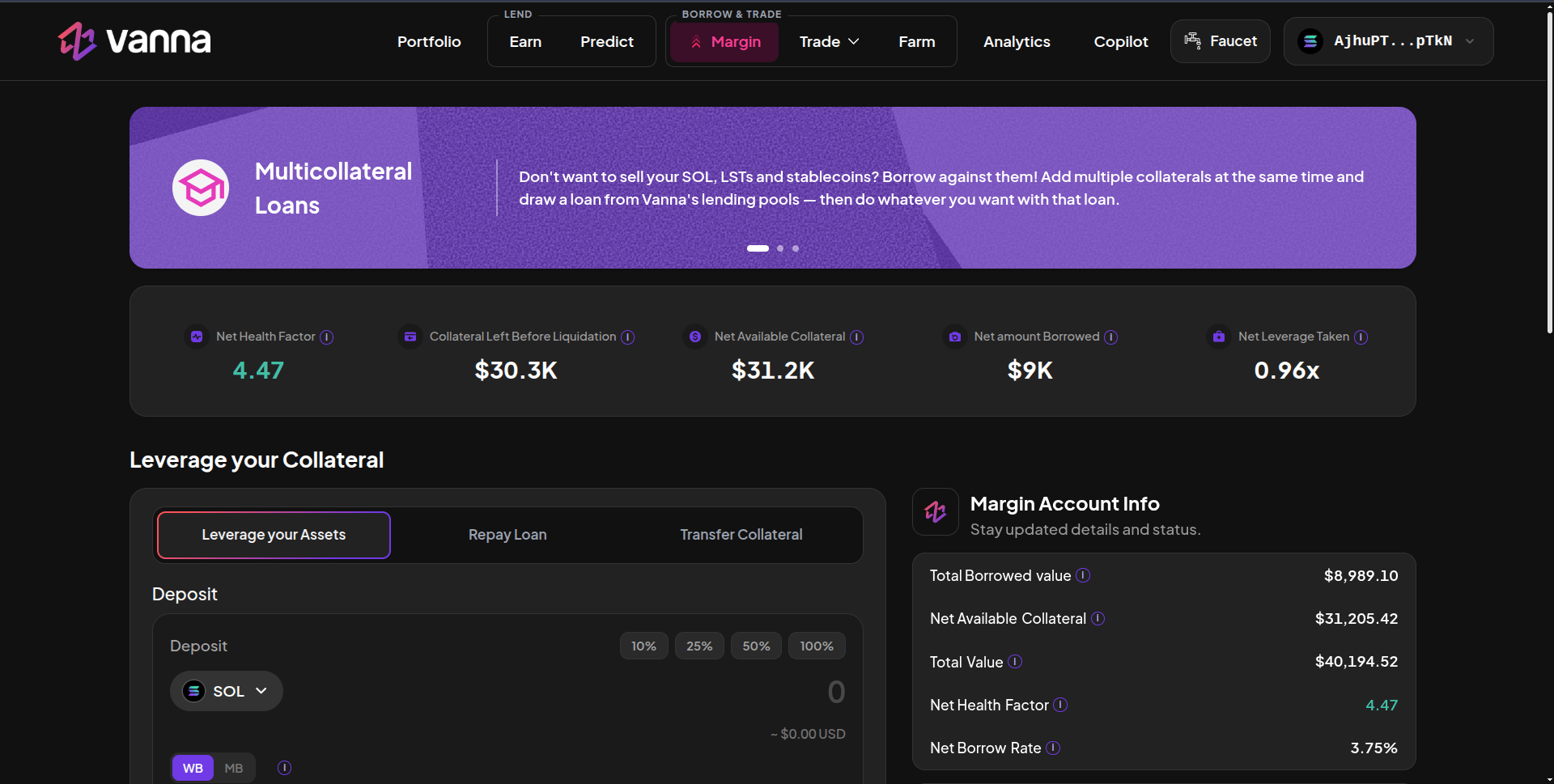
The Margin page is where you manage your margin account: deposit collateral, borrow, repay and move collateral in or out.
Margin page with Net Health Factor, Collateral Left Before Liquidation, Net Available Collateral, Net amount Borrowed, Net Leverage Taken, and the Leverage your Assets panel

Margin: account stats on top, the action panel on the left and Margin Account Info on the right. Click the image to zoom.

Account stats

The three tabs

Margin Account Info

The right column shows Total Borrowed value, Net Available Collateral, Total Value, Net Health Factor and Net Borrow Rate, then:
  • Liquidation: your health factor on a bar, the 1.10 liquidation line and the dollar buffer left before it.
  • Oracles and LTs: the oracle program, the 1.10× liquidation threshold, the Vanna program address, and every token’s live price with its source (Kamino Scope or Pyth) and freshness.
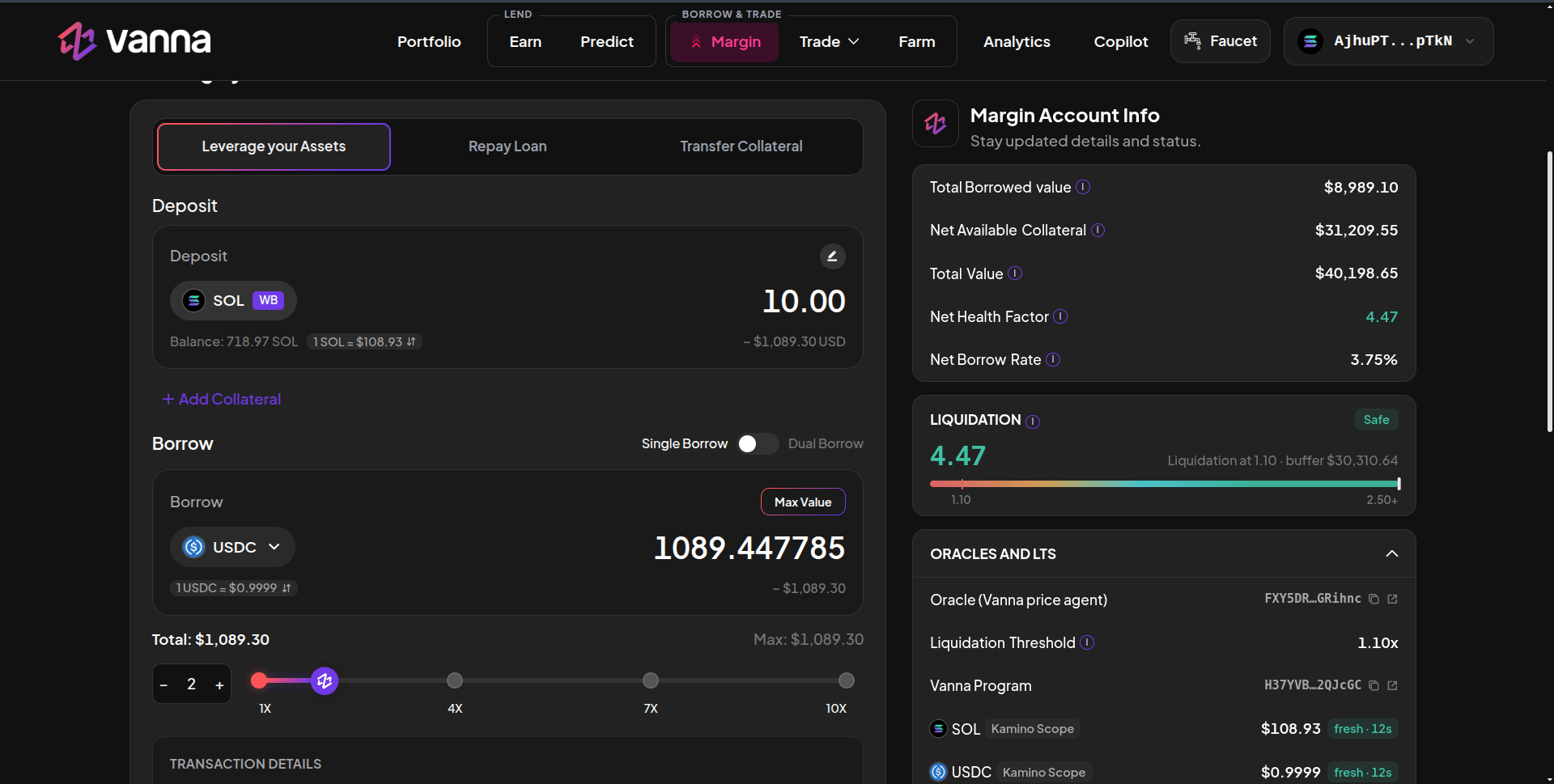
Leverage your Assets panel depositing 10 SOL and borrowing USDC at 2x, with the Liquidation card and Oracles and LTs list

Borrowing with the leverage slider, and the Liquidation and Oracles panels. Click the image to zoom.

Positions
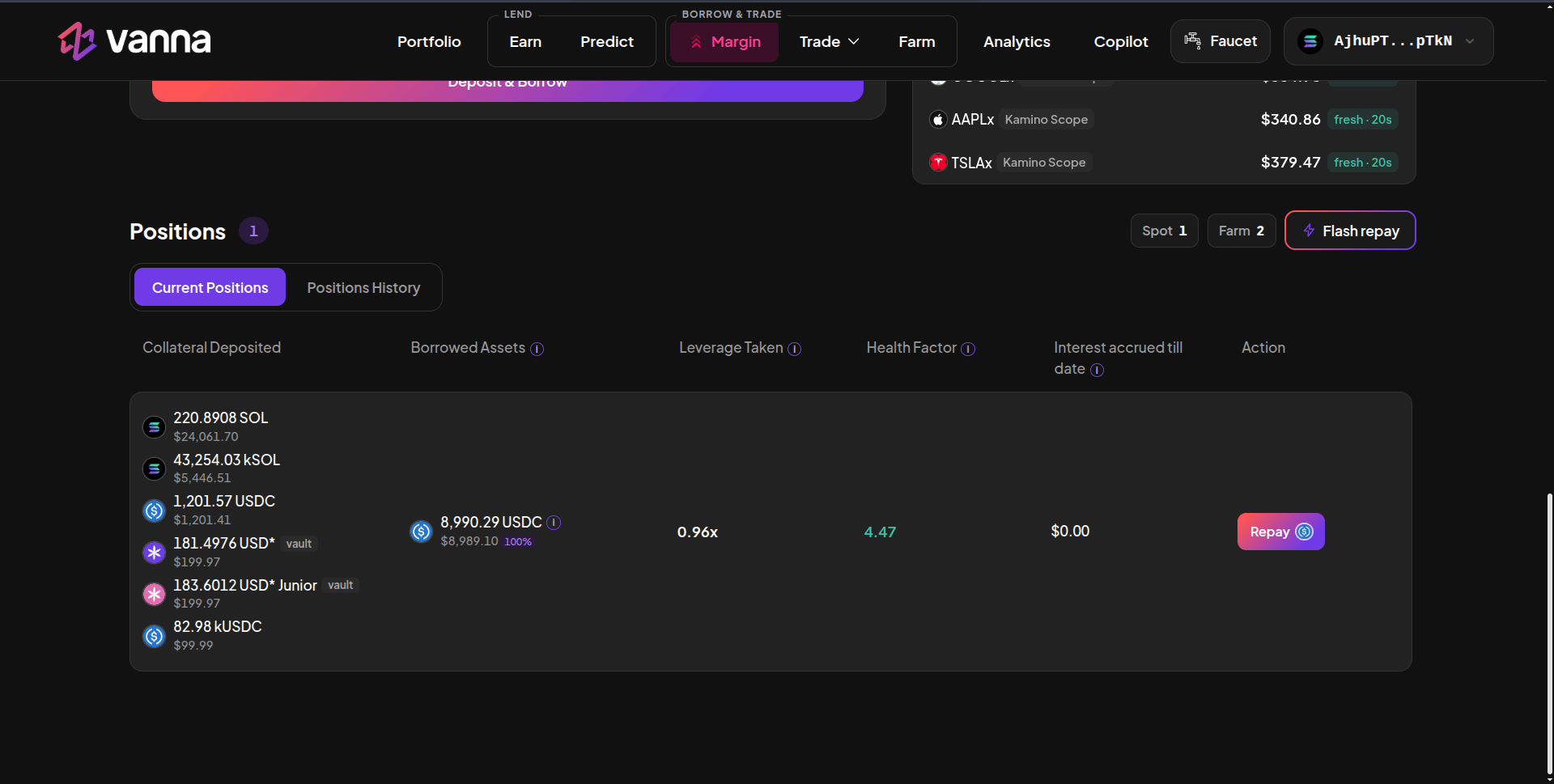
Positions table showing collateral deposited including SOL, kSOL, USDC, USD* vault receipts and kUSDC, borrowed USDC, leverage, health factor and a Repay button

Positions: everything the account holds, what it owes, leverage, health and interest. Click the image to zoom.

Current Positions shows one row for the whole account: every collateral (including Farm receipts such as kSOL, kUSDC, USD* and vbSOL), every borrowed asset with its share of debt, leverage, health factor, interest accrued and a Repay button. Positions History lists past actions. The Spot and Farm chips jump to those positions, and Flash repay unwinds the account.
An account with debt is healthy only while collateral USD ÷ debt USD stays above 1.10. At 1.10 or below anyone can liquidate it. The app keeps a 1.15 safety floor on withdrawals and new borrows so you have room before that line.
Start with Open a Margin Account.