

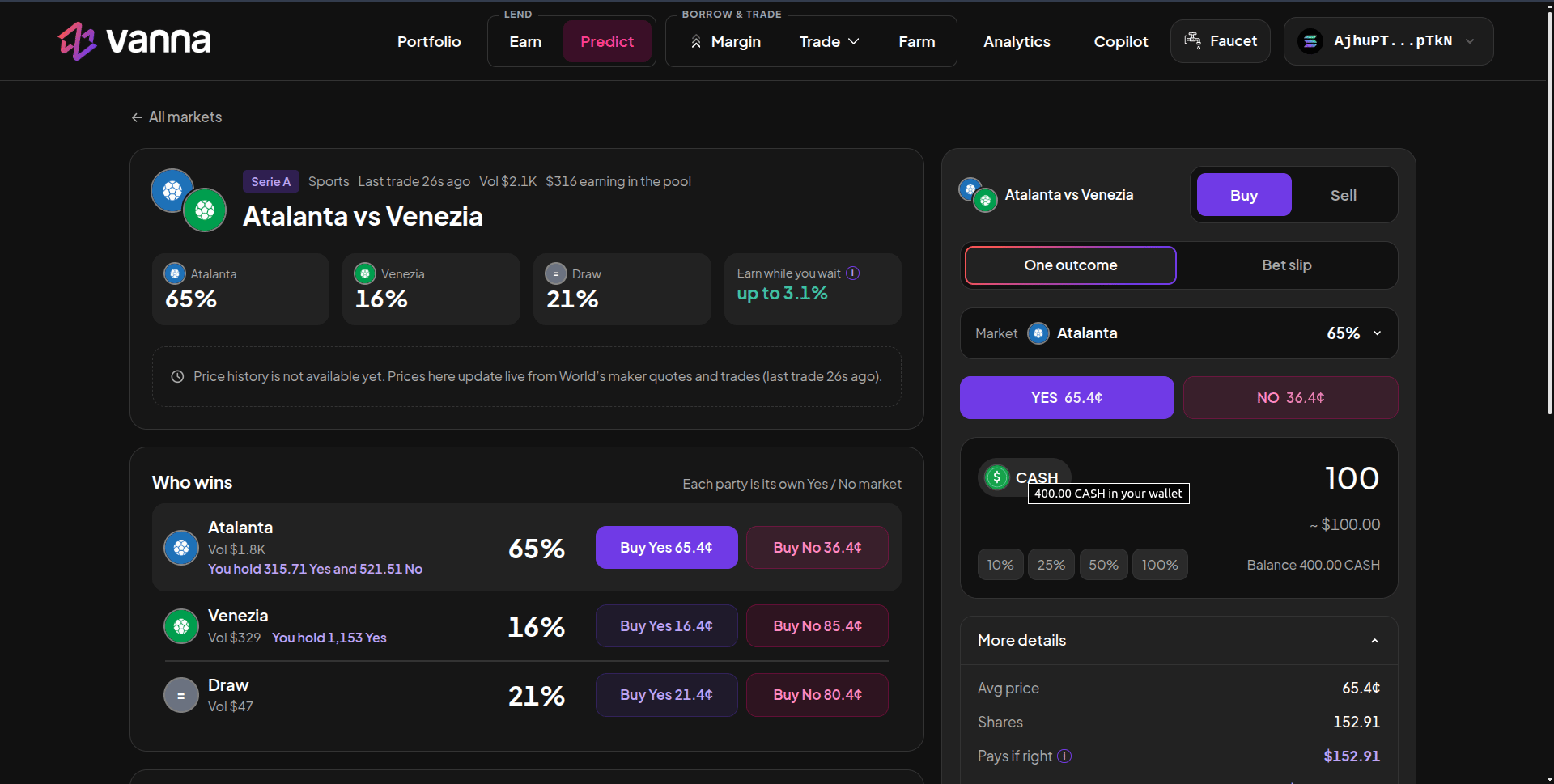
An event page: each outcome is its own Yes / No market, with the trade panel on the right. Click the image to zoom.
Buy
1
Open an event
Click an event card on Predict. The page shows each outcome’s probability, your holdings (“You hold 315.71 Yes…”) and a Buy Yes / Buy No button per outcome.
2
Pick the outcome and side
Click Buy Yes or Buy No on an outcome, or choose the Market and YES / NO in the trade panel.
3
Enter the amount
Enter how much CASH to spend, or use the % chips. Your CASH balance is shown under the field.
4
Check More details
Avg price (cents per share), Shares you’ll get, Pays if right (shares × $1) and Profit if right. The Earns while you wait box shows how much of this position will be paired and its estimated yield.
5
Buy and sign
Click Buy Yes / Buy No and approve. Your shares go straight into Vanna’s pool in the same approval.
Bet slip
On events with more than one tradable outcome, switch the panel from One outcome to Bet slip to buy several outcomes at once. Add legs with Add an outcome; the slip shows each leg, the total cost and what you get if each pick is right. The bet slip is for buying only.Sell
Switch the panel to Sell, pick the outcome and side you hold, and enter how many shares to sell. You can also use Sell on a position row under the event. Shares in your wallet are sold first; if you hold fewer than you’re selling, the rest are redeemed from your pool shares in the same transaction. Shares sell at the current bid.Your positions on the event
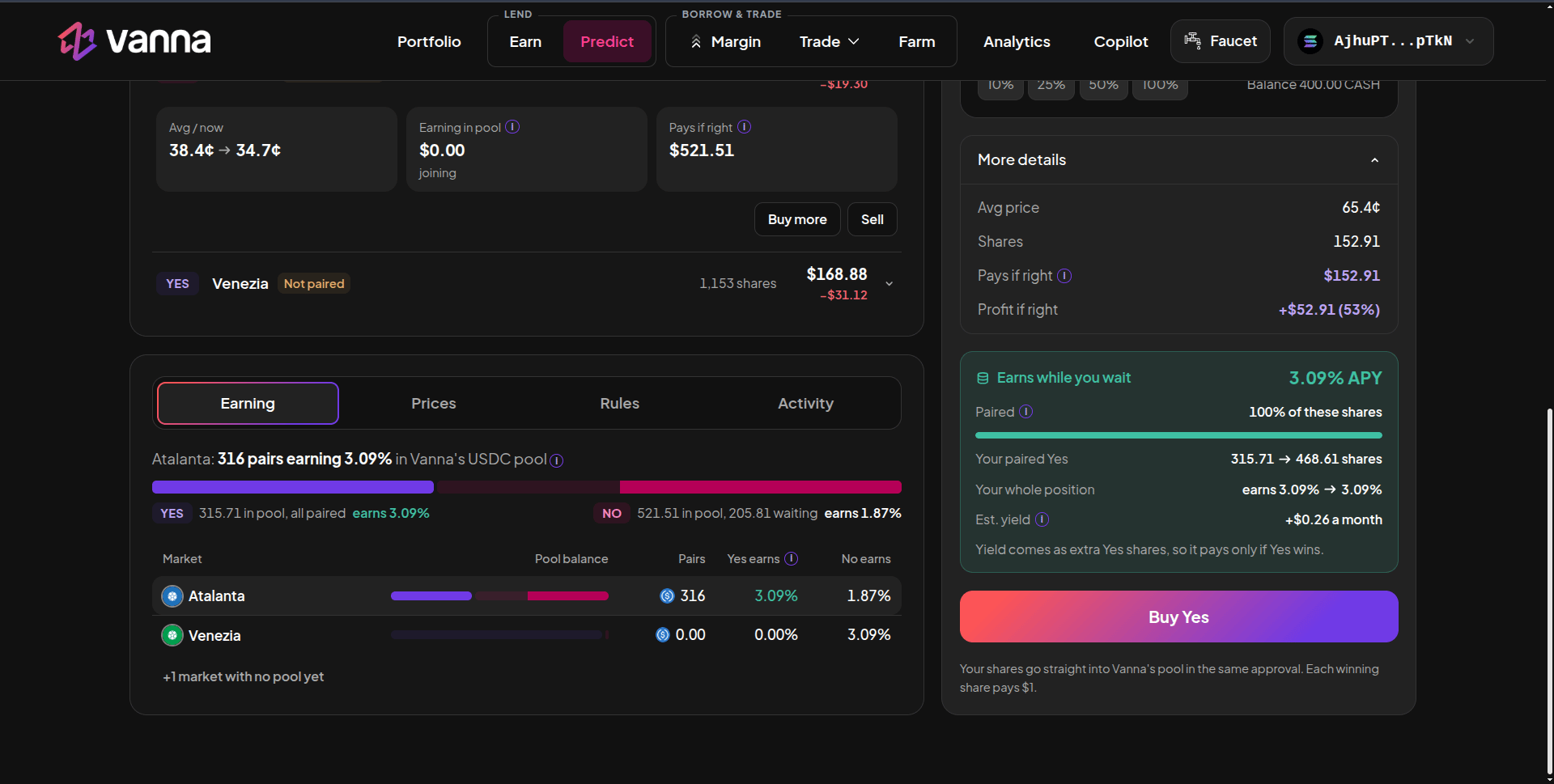
Your positions and the Earning tab: pairs earning in the pool, per side. Click the image to zoom.